ixigo SRP Redesign
All work

UX Design  ·  IXIGO

ixigo SRP Redesign

UX ResearchUI DesignMobile

Overview

How I increased the conversion rate from 4.5% to 7.5%

ixigo's train search results page had a massive engagement-to-booking gap. With 4 lakh daily searches but only ~16,500 bookings, the conversion rate sat at 4.1%. The page was focused on showing availability — not driving users to book. We redesigned the information architecture, visual hierarchy, and interaction model from the ground up to shift that balance.

About ixigo Trains

India's leading train booking app

The ixigo Trains App ranks #7 in the top 10 travel apps worldwide & #2 in India in terms of downloads and hours spent — with ~90 million monthly active users.

India has the fourth largest railway network with over 13,452 passenger trains and 24 million passengers a day. ixigo's focus is the next billion users — mainly tier 2/3 cities. This audience is hyper price-sensitive, not always tech-savvy, bandwidth-constrained, and values straightforward processes above all else.

Client

ixigo

Role

Lead Design

Team

Riju KK, Ruchee Balia, Ashutosh, Rajnish

Year

2022
The Problem

Low conversion — a massive engagement-to-booking gap

There was a huge influx of users engaging with the app, but the engagement vs. booking ratio was very small. The data pointed to the search listing page as the primary drop-off point.

The existing design was limiting users to checking availability rather than driving them towards booking. The information architecture and visual hierarchy were incoherent, making it hard to compare trains or find relevant filters quickly.

4 lac

Daily train searches

16,500

Average bookings per day

4.1%

Conversion rate

Process

Research-led, user-validated

ixigo design process overview

Kick-off Meeting & Brainstorming

Design and product collaborated to break down the problem and align on what we were solving. The data confirmed drop-offs at the listing page — the hypothesis was that the design was showing availability but not enabling bookability.

User Research

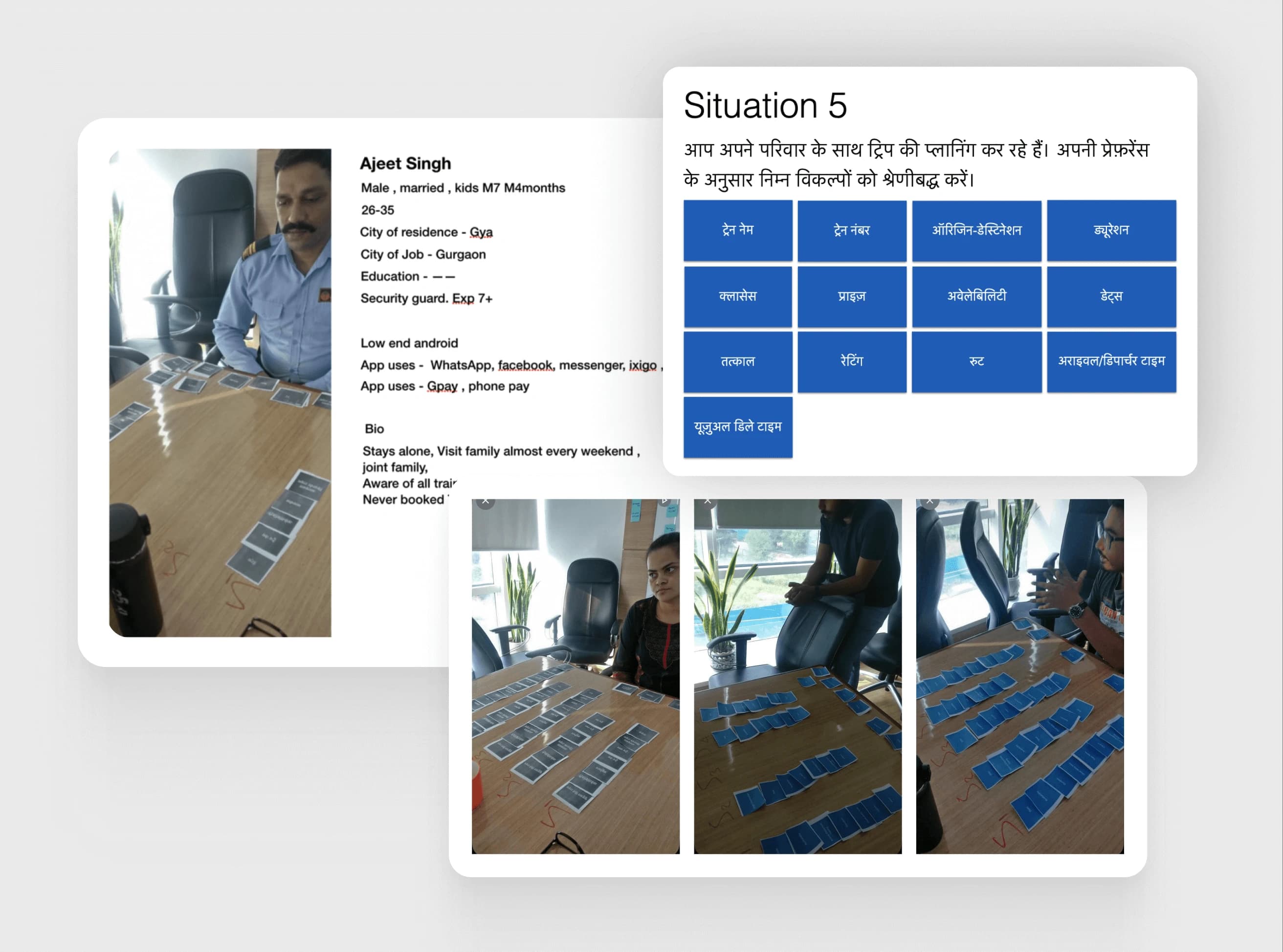
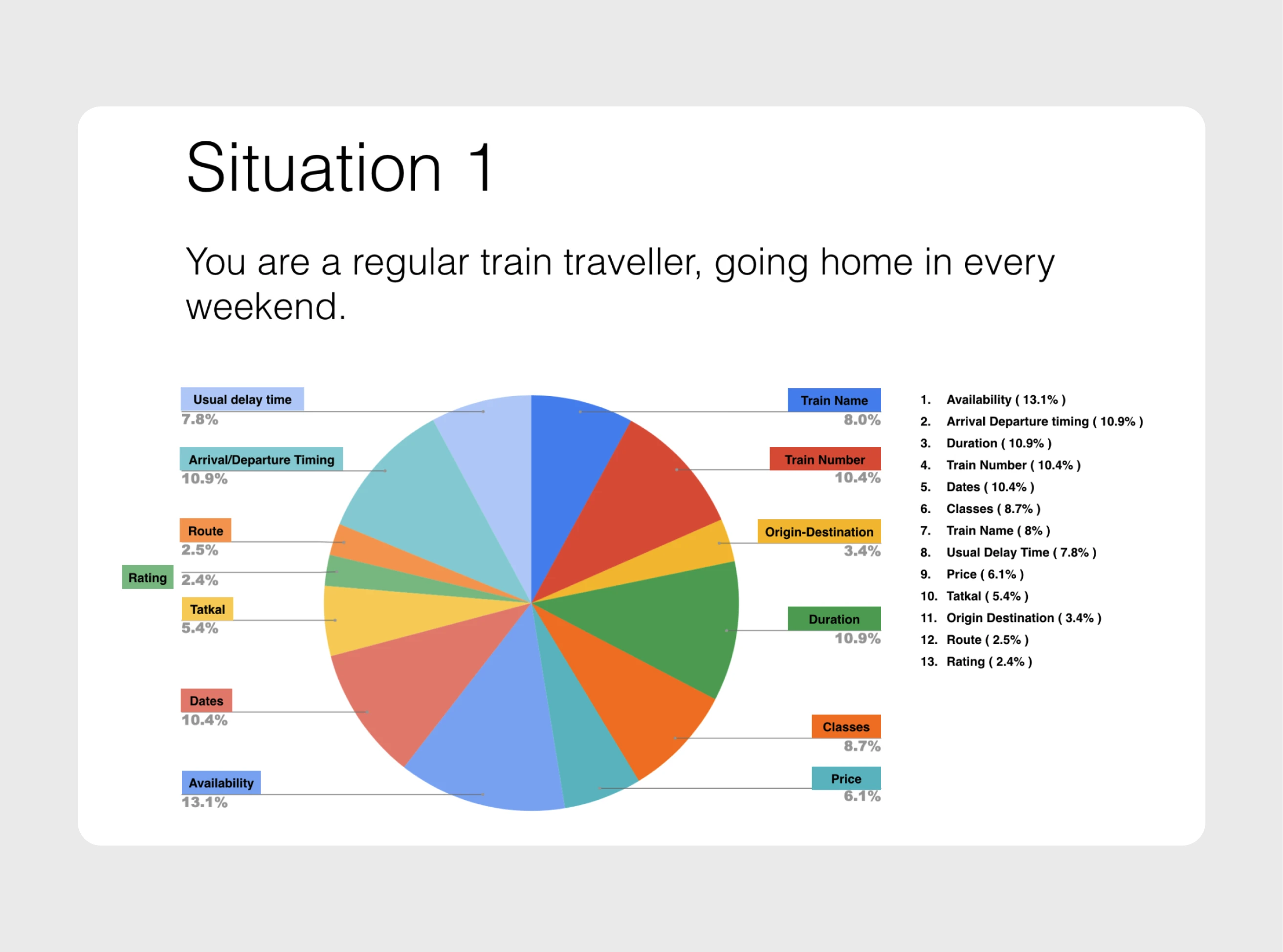
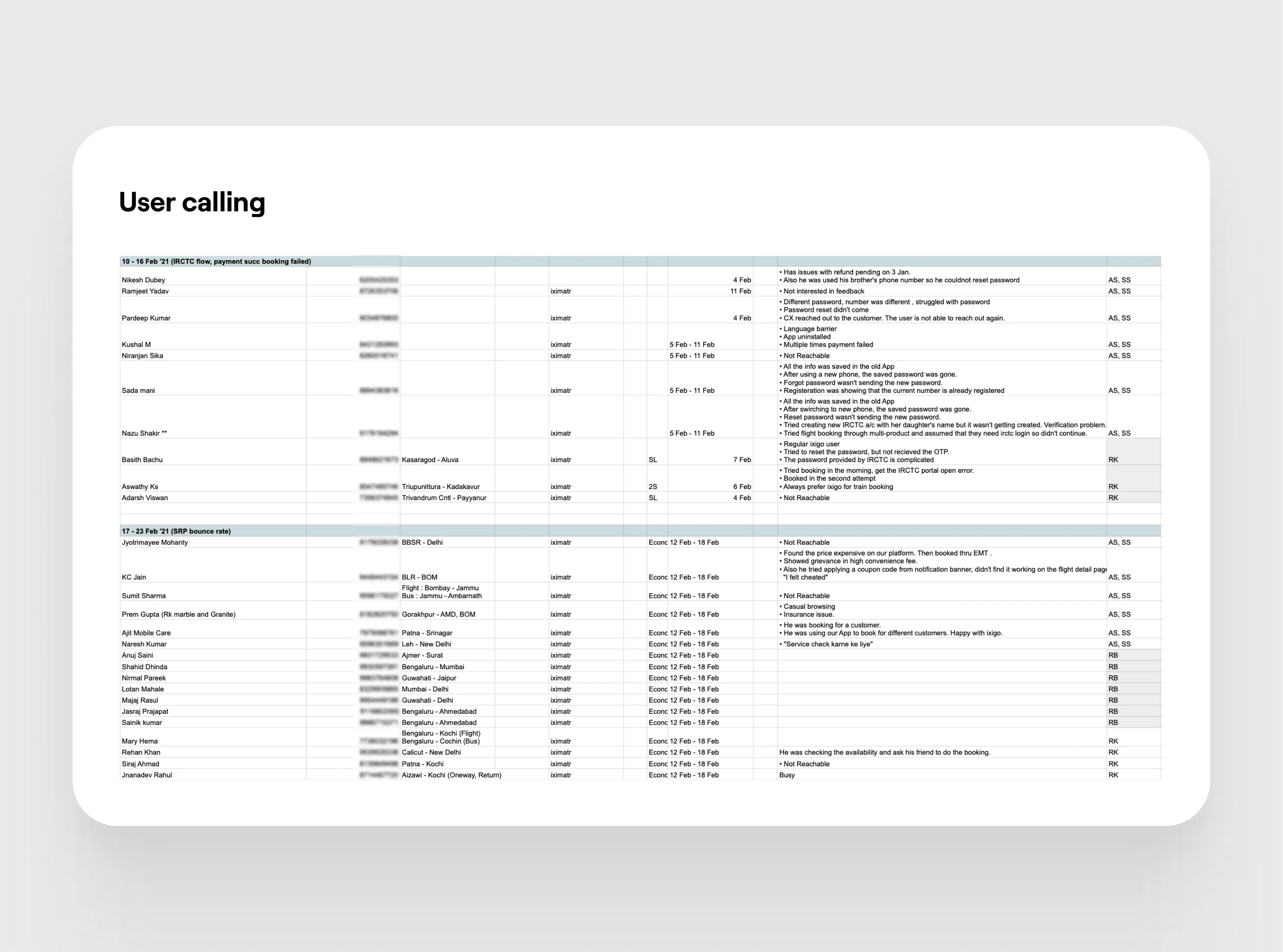
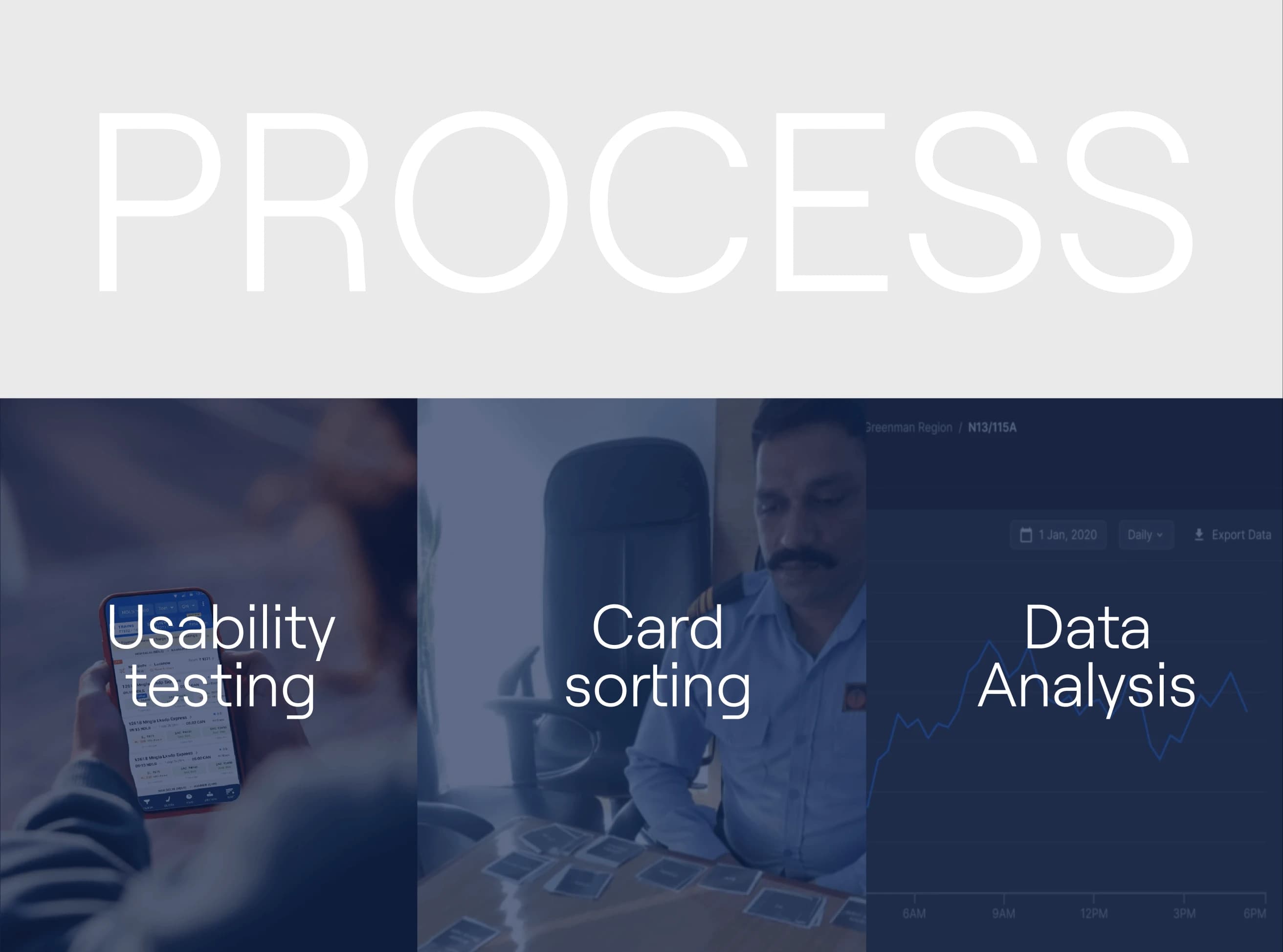
We analysed session recordings and tracking data, then ran a card sort with real users to reprioritise the data points on the listing page. We tested with two personas: a frequent traveller (weekly/monthly) and an occasional booker (a few times a year). A working prototype was tested at the New Delhi railway station.

Card sorting session
Data analysis graph
User research call

Key Findings

What users actually needed

"Availability was of main importance to everyone, but the priority of other data points depended on the persona." Overall there wasn't much gap in weightage — it was more about arrangement and visual hierarchy.

  • Arrival & departure timings and duration were the primary deciding and filtering factors.
  • Users had difficulty finding what they wanted — class options, train details — within the existing layout.
  • Comparing trains side-by-side was nearly impossible in the existing design.
  • Train operation days were not understood by users — a key trust and decision-making signal.
  • The listing was so focused on "availability" that users didn't know how to proceed to booking.

Direction & Wireframing

Reframing from availability to bookability

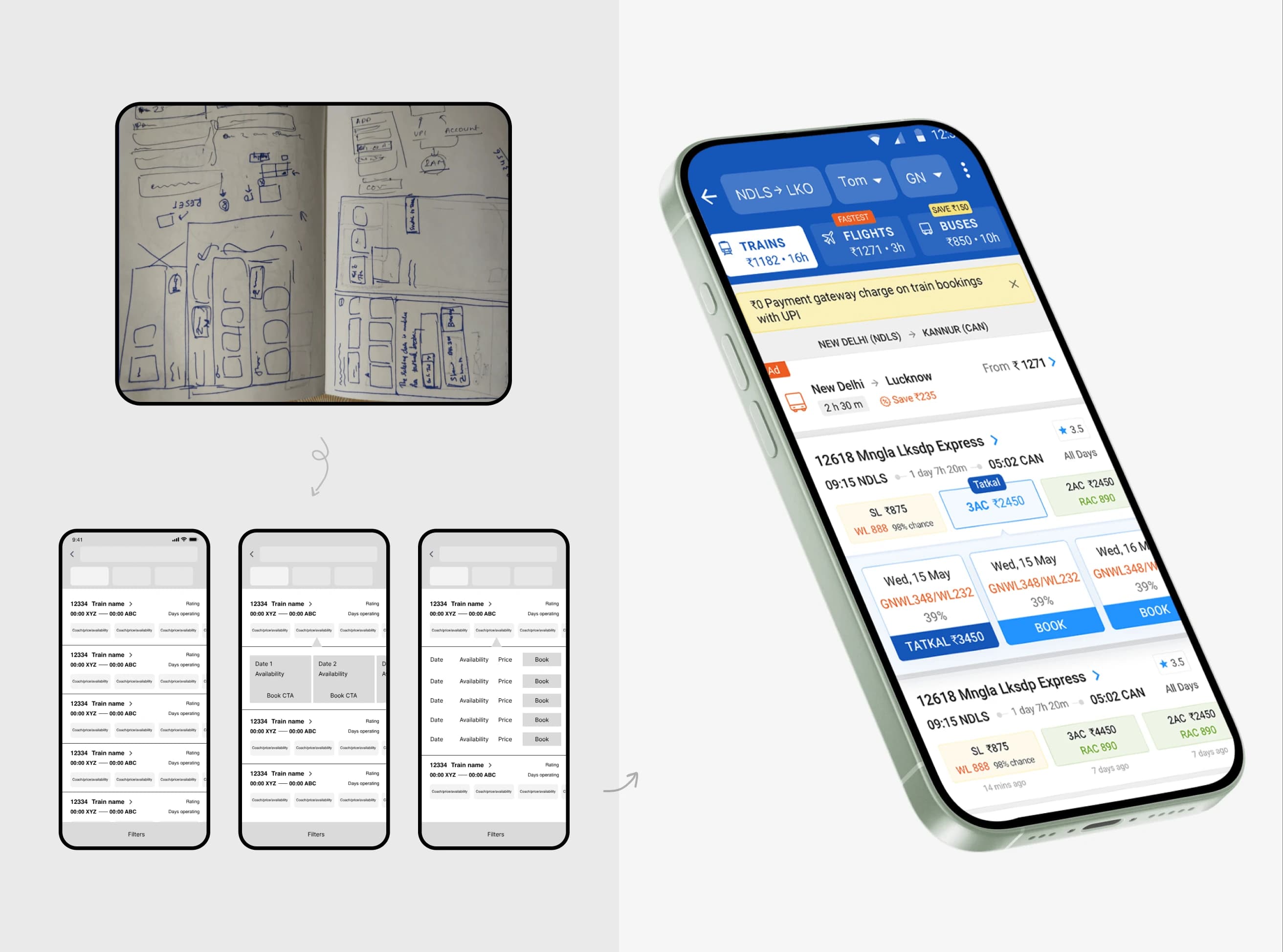
ixigo wireframing and direction explorations

With all research insights consolidated, we identified five core pain points: difficult train comparison, poor visual hierarchy, weak CTAs and copy, inaccessible filters, and a train-detail page requiring too many navigational round-trips. Each became a specific design decision in the new layout.

The Final Solution

From 4.5% to 7.5% — an 85% lift in conversion

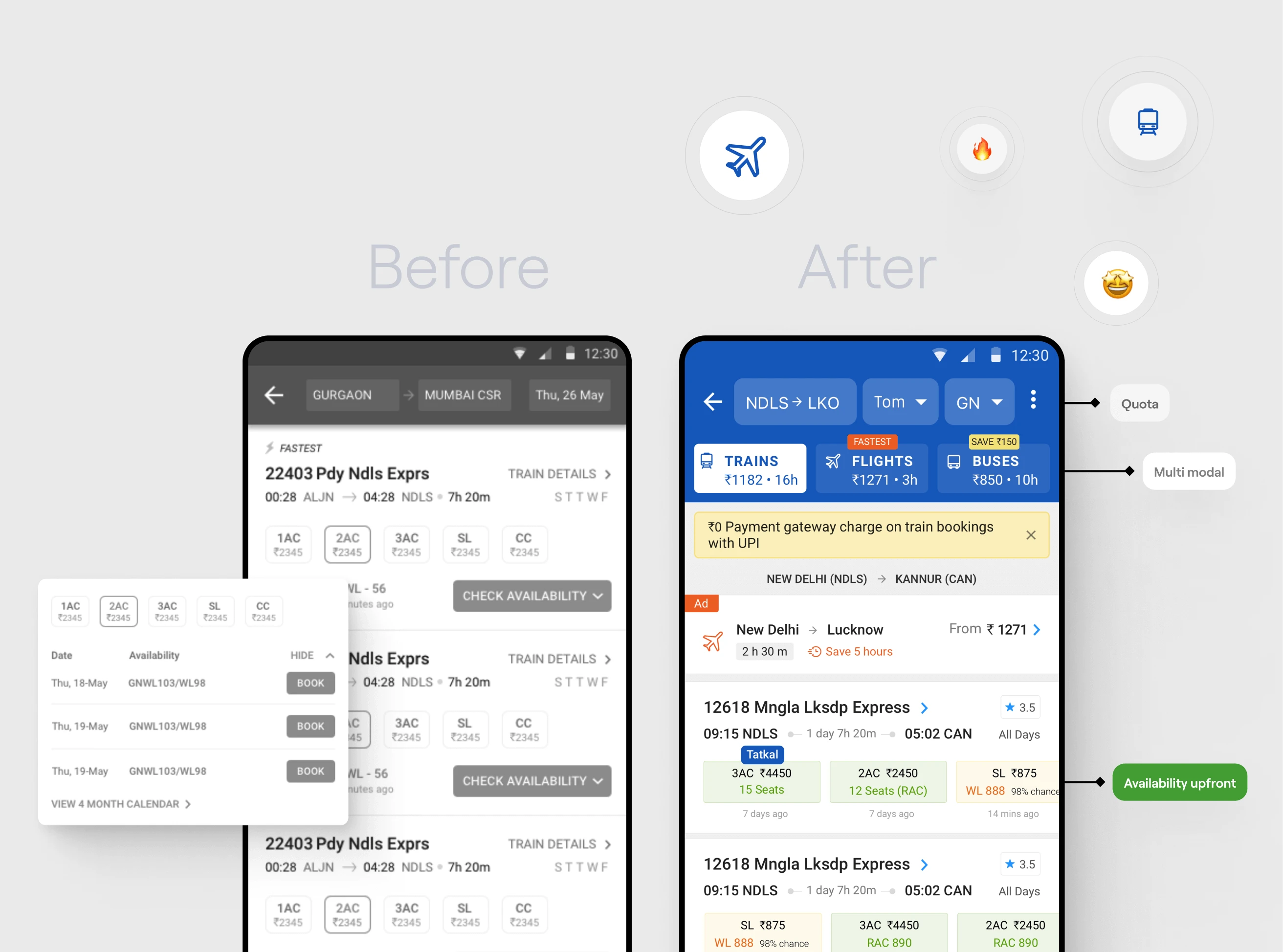
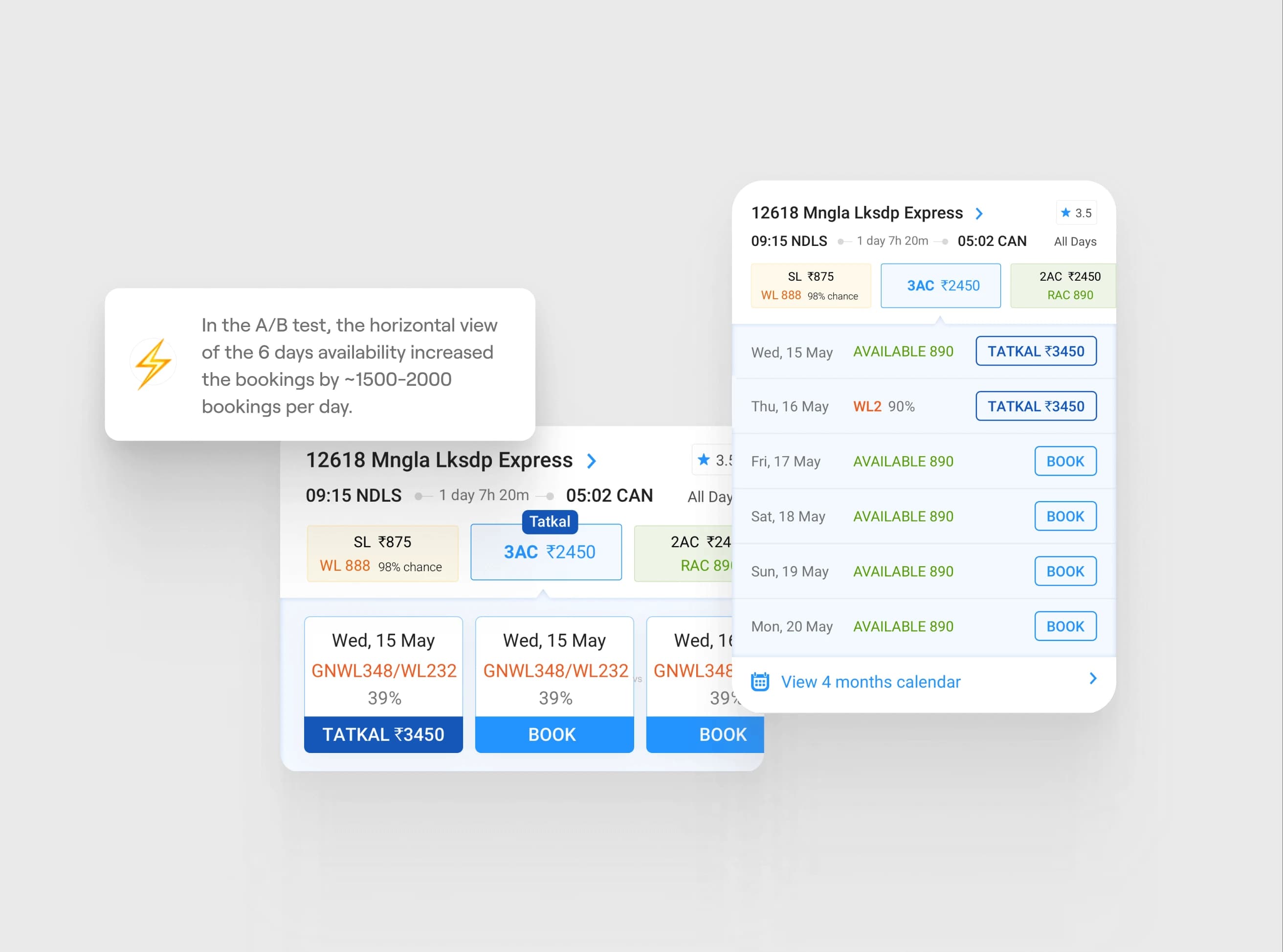
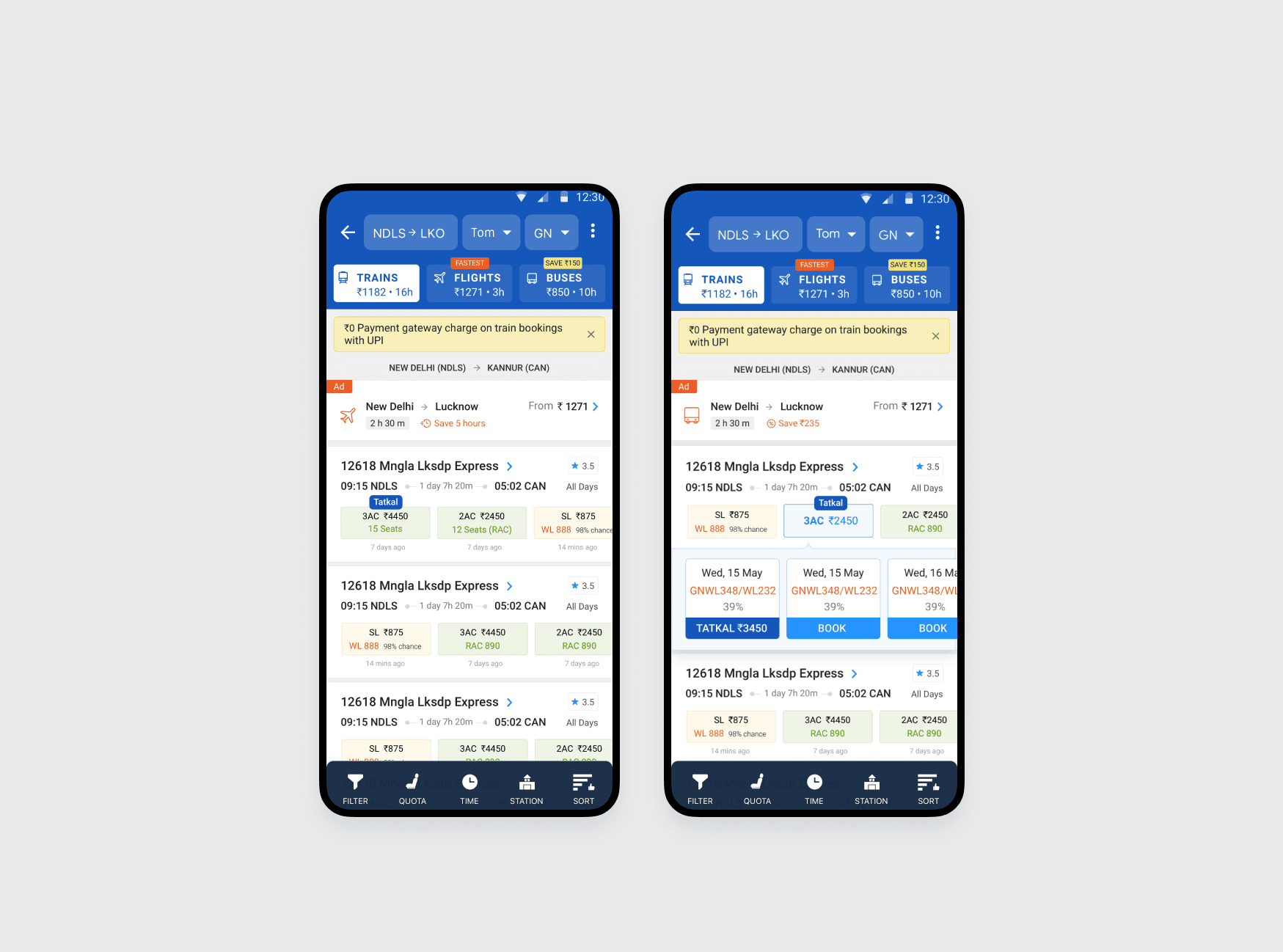
Shifting focus to booking — Availability is now shown upfront alongside the class, colour-coded by status. Tapping reveals detailed availability with a prominent "Book" CTA.

Improved information architecture — Font weights, colour and spacing establish a clear hierarchy. Secondary detail moved to the train detail page as a bottom sheet so users never lose context.

Better filter access — Key filters surfaced upfront. All class options displayed in a carousel directly on the listing card.

Before and after comparison
Final design screens — detail
Final design screens — overview